Page 3 of 5
Re: D3D11 moiré effect
Posted: Fri Aug 21, 2026 4:41 pm
by OVH
Aphex wrote: Thu Aug 20, 2026 2:03 pm
Try increasing this value
And what about this "Cluster" audio? They advertise it as replacement for Galaxy
Its a bit better with more channels but its not spectacular and the hit sounds still take over the game sounds. Very bad.

I dont know about Cluster audio I will try it later.
More glitchs:
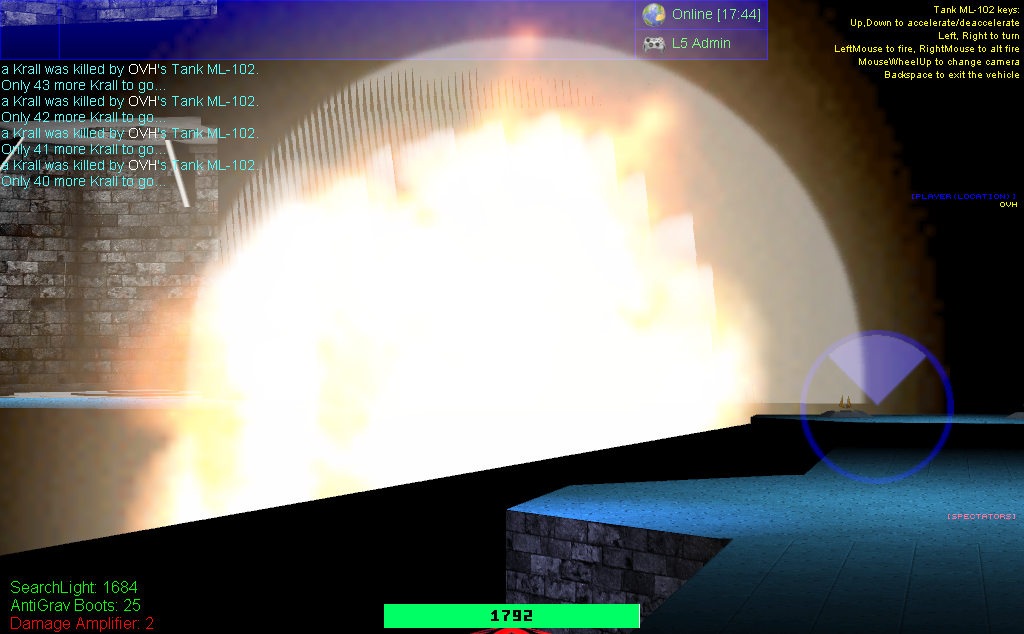
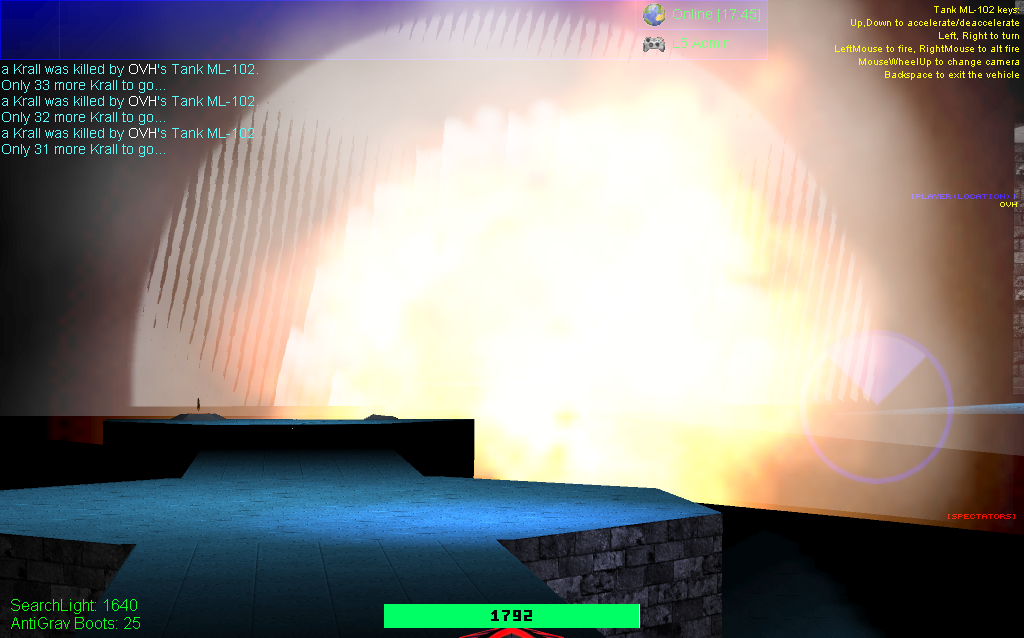
Vertical lines in explosions I have never seen that before:
- Lines1.png (556.73 KiB) Viewed 314045 times
- Lines2.png (547.51 KiB) Viewed 314045 times
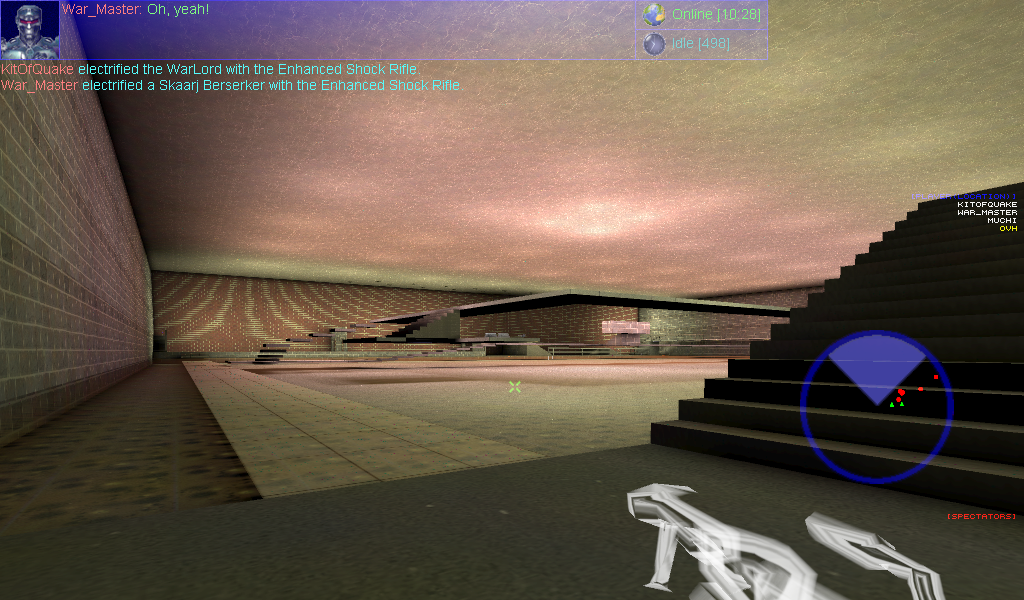
And more moiré on the wall in Crescendo:
- MoreMoiré.png (1.06 MiB) Viewed 314045 times
Re: D3D11 moiré effect
Posted: Fri Aug 21, 2026 8:10 pm
by Aphex
Vertical lines in explosions I have never seen that before:
Just checked and it happens on IC Bind only. On regular DX 11 no such issue.
And more moiré on the wall in Crescendo:
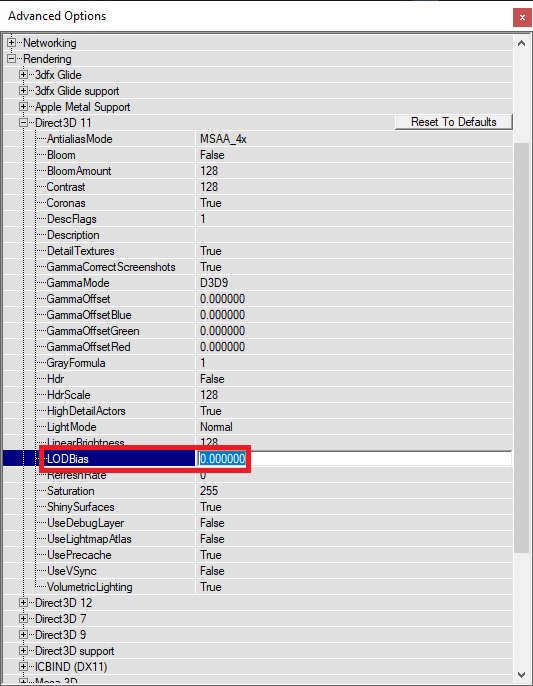
Try this:
Set renderer to regular DX 11 (no IC Bind)
Then in Preferences (Console)
Set AA to desired level (or leave at 0)
Then Set LOD Bias to 0 or 1 (don't set too much or distant objects may be very blurry), and Don't set to Negative or will be even more Moire)
- advprefs-dx11.jpg (108.43 KiB) Viewed 313760 times
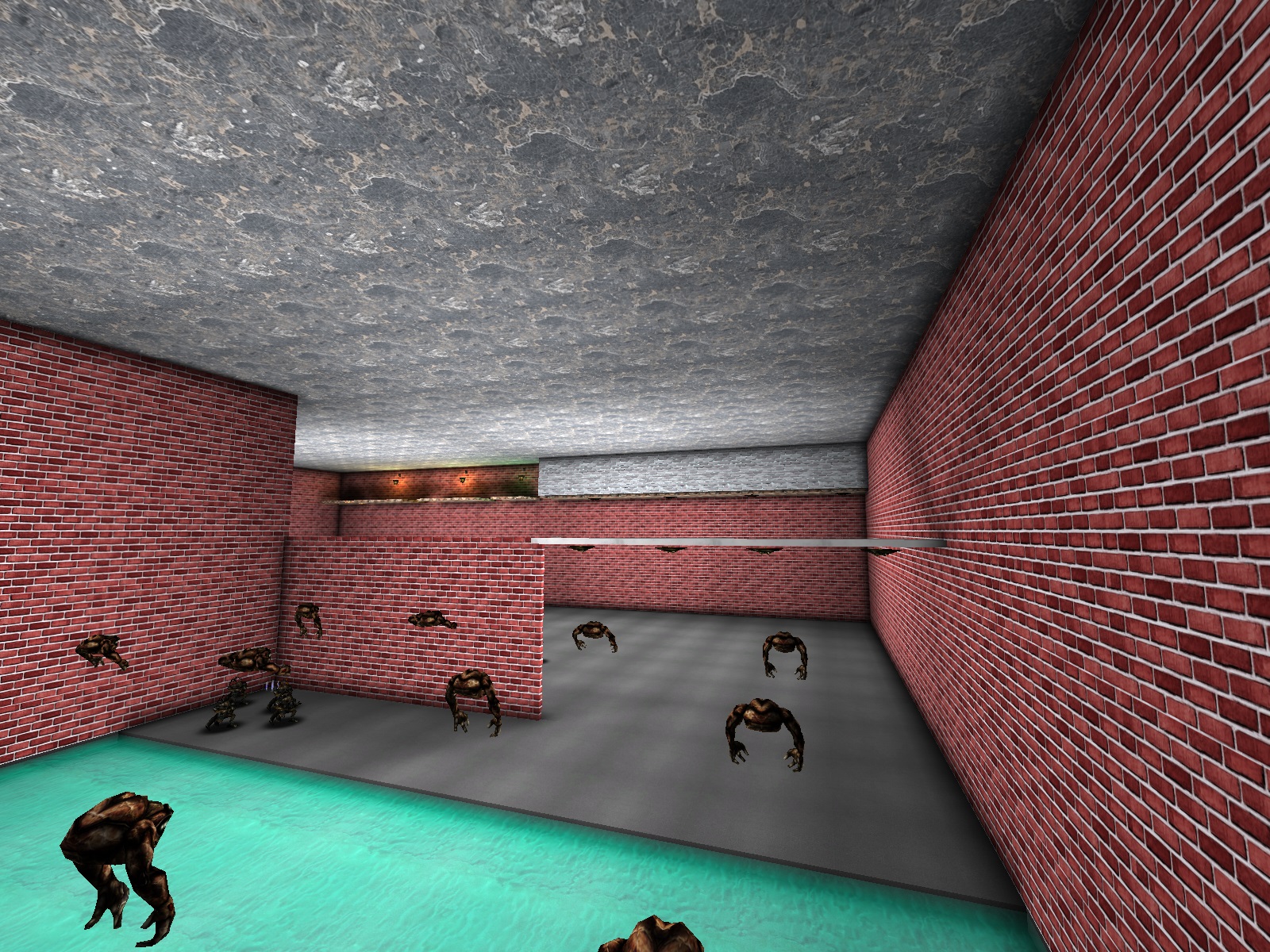
- dx11-lod0.jpg (920.16 KiB) Viewed 313760 times
I think it should look good now
Re: D3D11 moiré effect
Posted: Fri Aug 21, 2026 8:10 pm
by OVH
Aphex wrote: Thu Aug 20, 2026 2:03 pm
And what about this "Cluster" audio? They advertise it as replacement for Galaxy
I played one map with many players with Cluster audio. Nothing special not better not worse.
But then on map change:
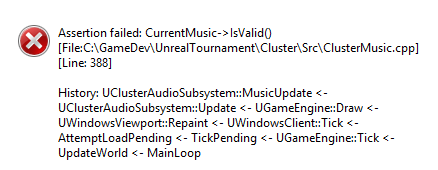
- ClusterMusic.png (10.08 KiB) Viewed 313759 times
Re: D3D11 moiré effect
Posted: Fri Aug 21, 2026 8:17 pm
by Aphex
on map change
And Galaxy just loads "UT Menu" in case of problems. I think better don't use Cluster then. When I tried it, it never worked, but for others it did.
Try LOD Bias and see if it fixes the Moire
Re: D3D11 moiré effect
Posted: Fri Aug 21, 2026 8:29 pm
by OVH
I think I found the error: its when I set Use digital music to False. Like in Galaxy.
I dont use UT music.
LODBias is already set to 0.
Re: D3D11 moiré effect
Posted: Fri Aug 21, 2026 8:30 pm
by Aphex
LODBias is already set to 0.
And if set to 1?
You can try fraction too (like 0.666667 or 1.333337) to fine-tune
Re: D3D11 moiré effect
Posted: Sun Aug 23, 2026 11:15 am
by HeadShotUT
DX11 isn't good video render there is amazing update of OpenGL driver in upcoming 469F.
For now stock OpenGL 3.3 driver is the best for 469E
Re: D3D11 moiré effect
Posted: Wed Aug 26, 2026 7:43 pm
by OVH
I dont like OpenGL it look like a cartoon for me.
At this point I think I will just go back to D3D9. Or even to v436 because of the sounds balance and priority problems in v469.
Thanks everyone for your help.
Re: D3D11 moiré effect
Posted: Thu Aug 27, 2026 8:47 am
by HeadShotUT
I use Linux Debian Stable with 469F beta I feel good about color but...
I won't tell You a secret but for best experience of UT windows XP with DX9 and pure DirectSound3D out of Galaxy render is the best ever.
PS. Glad to see You come back to main server more

Re: D3D11 moiré effect
Posted: Mon Sep 14, 2026 7:33 pm
by OVH
HeadShotUT wrote: Thu Aug 27, 2026 8:47 am
pure DirectSound3D out of Galaxy render is the best ever.
Thats what I use in v436 and v469. But in v469 its not working the same. The hit sounds are too loud way too loud specially if you hit several monsters at the same time like pupaes for example.
And the game sounds MUST have priority over hit sounds and announcer sound like in v436. Obviously.